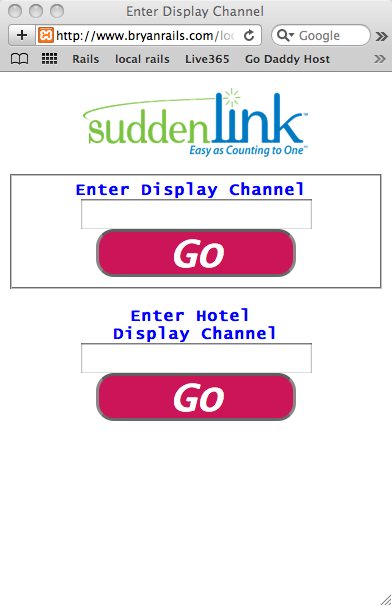
timstring;11015539 wrote:
The neophyte strikes again!
Why do I have to put that <div> statement when I have both margins set to "auto" in my style sheet?
Here's the style:
form label {
	margin-left: auto;
	margin-right: auto;
}
.center {
	margin-left:auto;
	margin-right:auto;
}
Because the rule form label applies to label elements, which are inline, while only block elements can have margins.
timstring;11015539 wrote:
form label {
	text-align:center;
This applies to content inside the label, not ouside it. And the same goes when you set it on the div, since this style is inherited: text inside elements will be centered within the element and takes no regard to the space around the actual element.
timstring;11015539 wrote:
 <form action="lookuptest.php" method="post">
 <label>Enter Display Channel</label>
  <input type="text" name="Display_Entry" />
</form>
The input element has to go inside the label element. At least I don't believe HTML 5 still supports the for attribute with matching id attribute, but even if it does, you'd still need to either put the input inside the label element, or give the input an id attribute and then give the label a for attribute with the same value.
Also, I believe that HTML5 still requires you to use only block level elements as descendants of forms. I.e., you labels, inputs etc all have to be wrapped in some other block element than the form element, such as fieldset, p etc.
Thus, the simplest valid code would probably be
<style>
.center {
	width: 400px;
	margin: auto;
}
</style>
</head>
<body>
<form class="center" action="lookuptest.php" method="post">
	<fieldset>
		<legend>Grouping name, if wanted, otherwise no legend element</legend>
		<label>Enter Display Channel <input type="text" name="Display_Entry"></label>
	</fieldset>
</form>
I also took the liberty of changing <img /> to <img>, thus going from XHTML to HTML. Feel free to use whichever you like more, but I recommend HTML since document.write() is not available in XHTML documents, and a lot of ads and other content are still being delivered using document.write.
Also, the advantages of using XHTML vs HTML 4.01 are gone. Their used to be no parsing rules for HTML, just the DTD. Since there are now instead consistent parsing rules for every single element, your document will (well, according to the spec anyway) always be treated the same way. Thus, the only thing you get from XHTML is not allowing minimized attributes (selected="selected" rather than selected), requiring quotes around attributes (name="joe" rather than name=joe) and not allowing you to ditch end tags (<p>paragraph</p><p>new paragraph</p> rather than <p>paragraph<p>new paragraph). But there's still nothing preventing you from following those guide lines while using HTML 5 since it's still perfectly valid HTML code as well.